
Social Engineering: The Hack That Doesn't Touch Your Computer
Attackers don't need to hack your computer. They just need to ask nicely.
You get an email from your bank. It says your account has been flagged for suspicious activity. There’s a link to verify your identity. The logo looks right, the email address looks official. You click.
It wasn’t your bank. You just handed your login details to a stranger.
That’s social engineering. Not a line of malicious code, not a sophisticated exploit. Just a well-timed lie.
What social engineering actually is
It’s when someone manipulates you into giving up information or doing something you otherwise wouldn’t. Instead of attacking your software, they attack your judgment. Your helpfulness. Your instinct to respond quickly when something feels urgent.
How it typically plays out
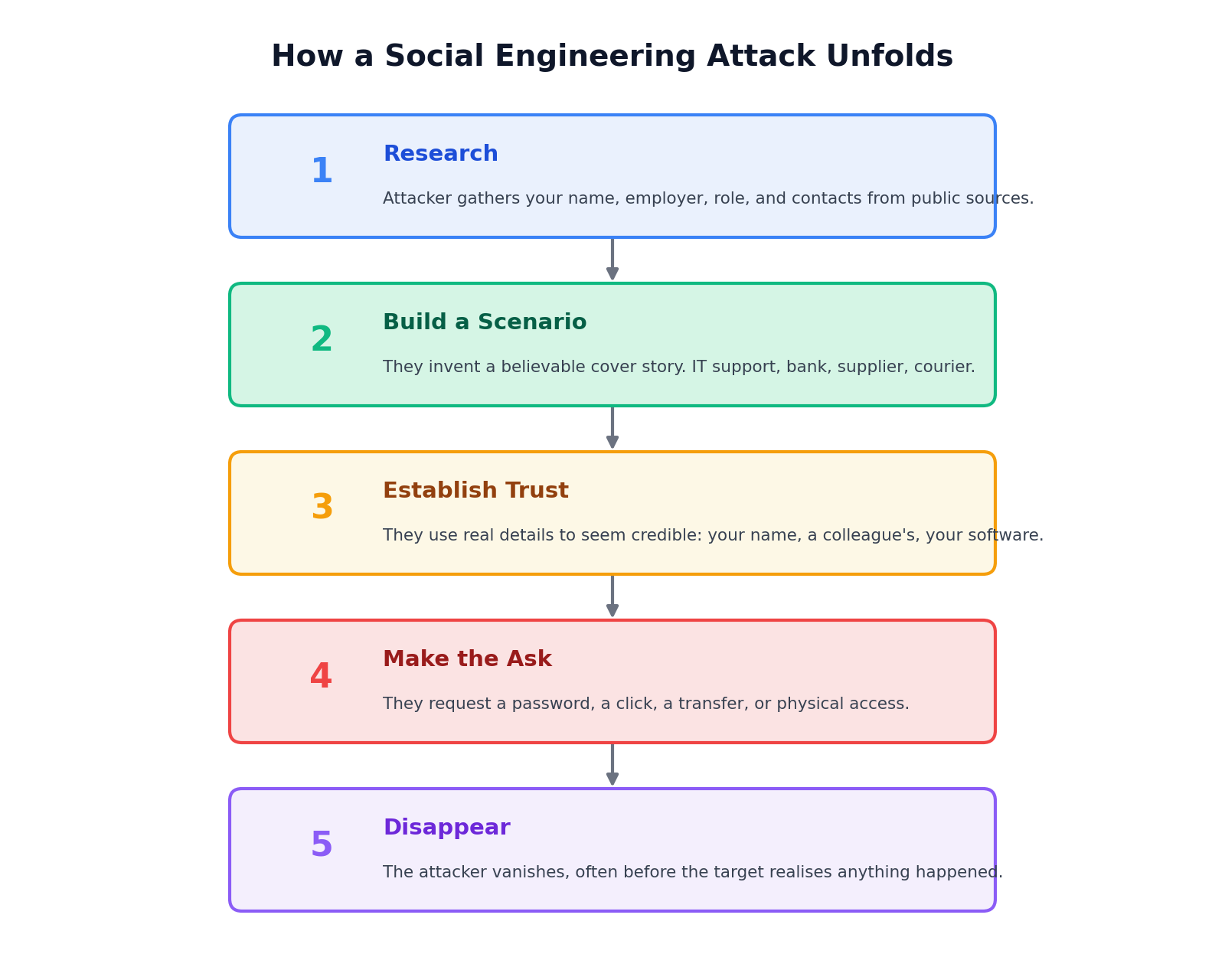
- The attacker researches their target. Your name, your employer, who your manager is, what software your company uses. Most of this is sitting on LinkedIn or social media, free for anyone to read.
- They build a believable scenario. Maybe they’re from IT support. Maybe they’re a supplier chasing an invoice. Maybe they’re your bank.
- They use real details to build trust. Your actual name, a real-sounding reason, the name of a colleague.
- Then they make their ask. A password, a bank transfer, a link clicked, a door held open.
- And then they’re gone, often before you’ve realised anything happened.
Where you’re most likely to encounter this
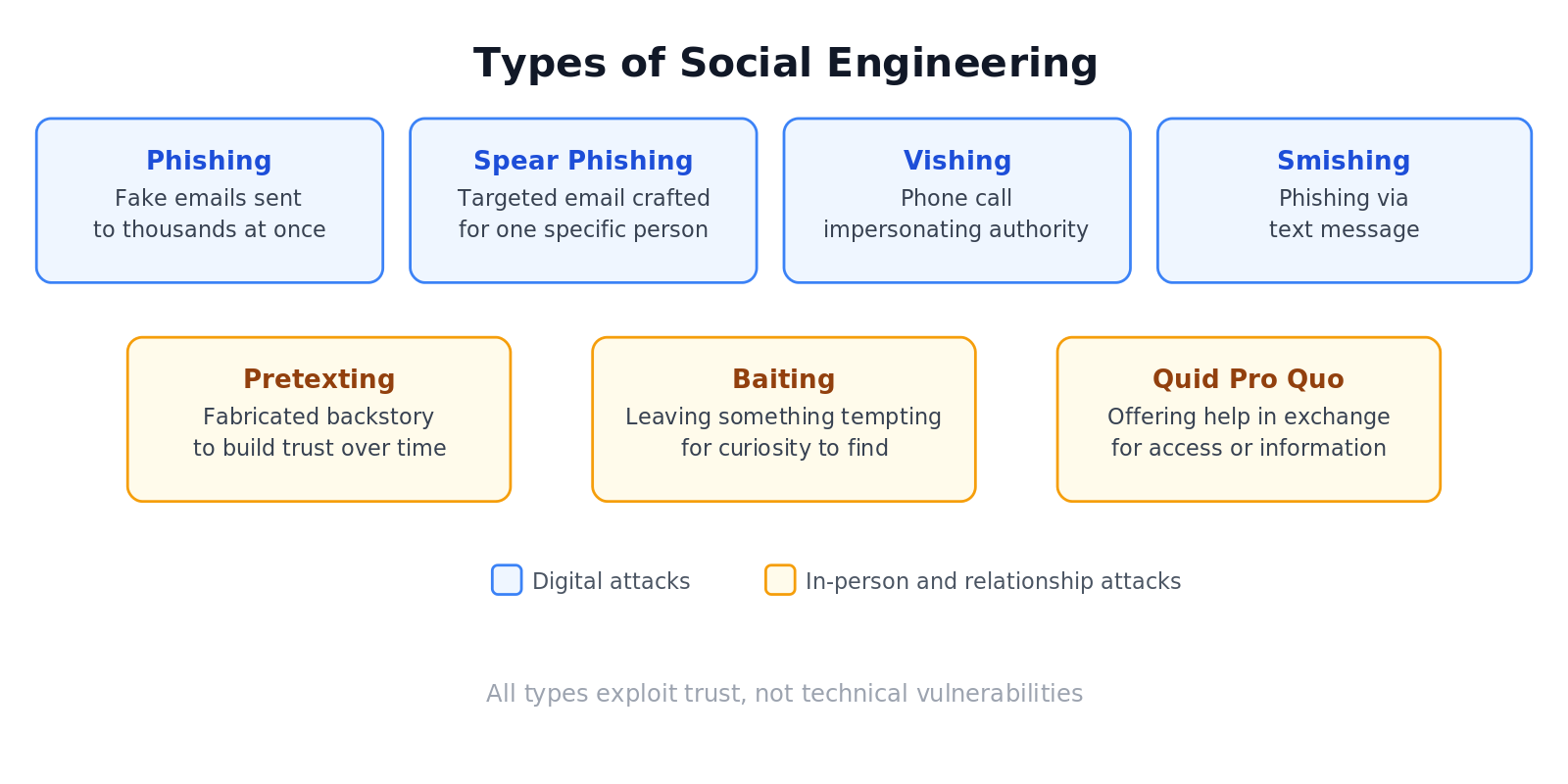
Phishing emails are the most common. A message that looks like it came from Netflix, PayPal, or your IT team, asking you to log in or take some action. Phishing reaches thousands of people at once and only needs one person to bite.
Spear phishing is the same idea, but targeted. The attacker researches you specifically and writes a message that sounds like it was meant only for you. It’s harder to spot because it doesn’t have the tell-tale signs of a mass blast.
Vishing is phishing over the phone. Someone calls pretending to be your bank, your internet provider, or HMRC. They sound authoritative. They have your name and maybe your postcode. And they need you to confirm something quickly.
Smishing is phishing via text. “Your parcel could not be delivered. Click here to reschedule.” You’ve probably already seen a few of these.
Pretexting is where the attacker builds a whole backstory, a fake persona, a fabricated relationship, sometimes even a fake job, to earn your trust before making their move.
Baiting is exactly what it sounds like. A USB drive left in a car park. A download page offering something free. Curiosity does the rest.
Quid pro quo attacks offer you something in return for information. “I can fix your computer issue if you just give me your login for a moment.”
How to protect yourself
Urgency is the biggest red flag. Legitimate organisations rarely need you to act in the next five minutes. If a message makes you feel rushed, slow down on purpose.
If someone contacts you claiming to be from your bank, your boss, or your IT team, hang up and call back using a number you found yourself. Not one they gave you.
Don’t click links in emails. Type the address into your browser directly instead.
Think before sharing details. Your job title, the software your company uses, who your manager is. Each one feels harmless. Together they give an attacker a very convincing script.
And trust your gut. If something feels slightly off, it usually is.
Wrapping up
Social engineering works because it targets things no software update can patch. We’re built to be helpful. We respond to authority. We act quickly when something feels urgent.
Attackers know this. Awareness is your best protection. The moment you recognise the pattern, the trick stops working.
Got a suspicious message you’re unsure about? Shoot me a message on Linkedin and we can take a look together.
Connect with Nelson on LinkedIn
More posts, updates, and the occasional thread.
Related posts
17 Jun 2026
Firewalls Explained: The Bouncer Your Network Actually Needs
Your computer is sending and receiving data constantly. A firewall decides what gets through.
11 Jun 2026
Public Wi-Fi: Why That Free Network at the Coffee Shop Isn't So Free
Free Wi-Fi is everywhere. So are the people waiting to see what you're doing on it.